 admin
adminKnowing how to check your bank account balance is one of the most basic but important financial skills every Nigerian should have. Whether you are a student, salary earner, business owner, freelancer, or entrepreneur, being able to confirm your account balance helps you plan your spending, avoid failed transactions, and stay in control of your finances.
In Nigeria today, banks have made it very easy to check account balances through USSD codes, mobile banking apps, internet banking, and even SMS alerts. You no longer need to visit a bank branch or ATM just to know how much money is in your account.
This detailed guide explains how to check bank account balance on any Nigerian bank using USSD codes and mobile apps, including step-by-step instructions, updated bank codes, common problems, safety tips, and frequently asked questions.
Why It Is Important to Check Your Bank Account Balance Regularly
Checking your account balance is not just about curiosity. It plays a key role in good financial management.
Here are some reasons why Nigerians should check their bank balances often:
- To avoid failed transfers and declined POS transactions
- To confirm salary payments and business income
- To monitor spending and manage budgets
- To detect unauthorized or suspicious transactions early
- To plan savings, investments, and bill payments
- To stay financially disciplined
With rising digital banking usage in Nigeria, checking your account balance regularly helps protect your money and gives you peace of mind.
Different Ways to Check Bank Account Balance in Nigeria
Nigerian banks provide multiple ways to check account balances. The most common methods include:
- USSD codes (no internet required)
- Mobile banking apps
- Internet banking via browser
- SMS banking alerts
- ATM balance inquiry
This guide focuses mainly on USSD codes and mobile apps, as they are the fastest and most popular methods.
What Is USSD Banking in Nigeria?
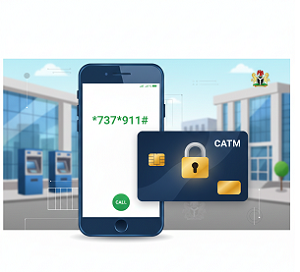
USSD (Unstructured Supplementary Service Data) is a short code banking service that allows customers to access banking services by dialing a code on their mobile phones.
USSD banking works on:
- Smartphones
- Feature phones (button phones)
- Without internet connection
This makes USSD banking extremely useful in Nigeria, especially in areas with limited internet access.
Advantages of Checking Bank Balance Using USSD
- No internet required
- Works on any mobile phone
- Fast and convenient
- Secure with PIN protection
- Available 24/7
- Ideal for rural and urban users
How to Check Bank Account Balance Using USSD Codes in Nigeria
Below are updated USSD codes for major Nigerian banks and how to use them.
1. How to Check GTBank Account Balance (USSD Code)
GTBank USSD Code:
*737*6*1#
Steps:
- Dial 7376*1# from your registered phone number
- Enter your GTBank USSD PIN
- Your account balance will appear on the screen
2. How to Check Access Bank Account Balance (USSD Code)
Access Bank USSD Code:
*901*5#
Steps:
- Dial 9015#
- Enter your Access Bank USSD PIN
- Your balance will be displayed instantly
Keywords: Access Bank balance check, Access Bank USSD code, Access Bank balance without app
3. How to Check Zenith Bank Account Balance (USSD Code)
Zenith Bank USSD Code:
*966*00#
Steps:
- Dial 96600#
- Enter your Zenith Bank PIN
- View your account balance
Keywords: Zenith Bank balance USSD, Zenith Bank account balance code
4. How to Check First Bank Account Balance (USSD Code)
First Bank USSD Code:
*894*00#
Steps:
- Dial 89400#
- Enter your First Bank USSD PIN
- Your balance will show on the screen
Keywords: First Bank balance check USSD, First Bank Nigeria balance code
5. How to Check UBA Account Balance (USSD Code)
UBA USSD Code:
*919*00#
Steps:
- Dial 91900#
- Enter your UBA USSD PIN
- Check your balance
Keywords: UBA balance check USSD, UBA account balance Nigeria
6. How to Check Fidelity Bank Account Balance (USSD Code)
Fidelity Bank USSD Code:
*770*0#
Steps:
- Dial 7700#
- Enter your PIN
- Your balance will be displayed
7. How to Check Union Bank Account Balance (USSD Code)
Union Bank USSD Code:
*826*4#
8. How to Check Stanbic IBTC Account Balance (USSD Code)
Stanbic IBTC USSD Code:
*909*1*1#
9. How to Check Ecobank Account Balance (USSD Code)
Ecobank USSD Code:
*326*0#
10. How to Check Polaris Bank Account Balance (USSD Code)
Polaris Bank USSD Code:
*833*6#
Charges for USSD Balance Check in Nigeria
Most Nigerian banks charge a small fee for USSD transactions.
Typically:
- ₦6.98 per USSD session (CBN approved)
- Charges may vary slightly by bank
Despite the small cost, USSD remains one of the cheapest and most reliable ways to check bank balances.
How to Check Bank Account Balance Using Mobile Banking Apps
Mobile banking apps provide a more detailed and modern way to check account balances.
Benefits of Using Bank Apps
- Real-time balance updates
- Full transaction history
- Fund transfers
- Bill payments and airtime purchase
- Card management
- Biometric security
Steps to Check Bank Balance Using Mobile Apps
- Download your bank’s official app from Google Play Store or Apple App Store
- Register or log in with your banking details
- Open the dashboard or account summary
- Your account balance will be displayed automatically
Popular Nigerian Bank Apps
- GTWorld (GTBank)
- AccessMore (Access Bank)
- Zenith Mobile App
- FirstMobile (First Bank)
- UBA Mobile App
- Fidelity Mobile App
- Stanbic IBTC Mobile
- Ecobank Mobile App
USSD vs Mobile Banking Apps: Which Is Better?
| Feature | USSD Banking | Mobile App |
|---|---|---|
| Internet needed | No | Yes |
| Phone type | Any | Smartphone |
| Speed | Fast | Very fast |
| Cost | Small fee | Usually free |
| Features | Limited | Full banking |
Best option:
- Use USSD when there is no internet
- Use apps for full banking convenience
Safety Tips When Checking Bank Balance
- Never share your USSD or app PIN
- Avoid using public Wi-Fi for banking apps
- Always download official bank apps
- Enable app notifications and alerts
- Contact your bank immediately if you notice suspicious activity
Common Problems and Solutions
USSD Code Not Working
- Check network signal
- Confirm correct code
- Ensure phone number is linked to the account
App Not Opening
- Update the app
- Check internet connection
- Clear app cache or reinstall
Frequently Asked Questions (FAQs)
Can I check my bank balance without internet in Nigeria?
Yes. USSD codes allow balance checking without internet.
Is USSD banking safe?
Yes, when used with a secure PIN and registered phone number.
Do all Nigerian banks support USSD balance check?
Most commercial banks in Nigeria support USSD services.
Which method is cheapest?
USSD is cheap, but mobile apps may be free if you have data.
Also Read. Nigeria Tax Reform 2026 Explained
Conclusion
Checking your bank account balance in Nigeria has become easier than ever. With USSD codes and mobile banking apps, you can access your financial information anytime and anywhere. Whether you prefer offline USSD banking or modern mobile apps, Nigerian banks provide reliable and secure options.
By using the methods explained in this guide, you can manage your money better, avoid unnecessary charges, and stay financially informed.


 admin
admin